
How to Build Capacity for AI Incident Reporting
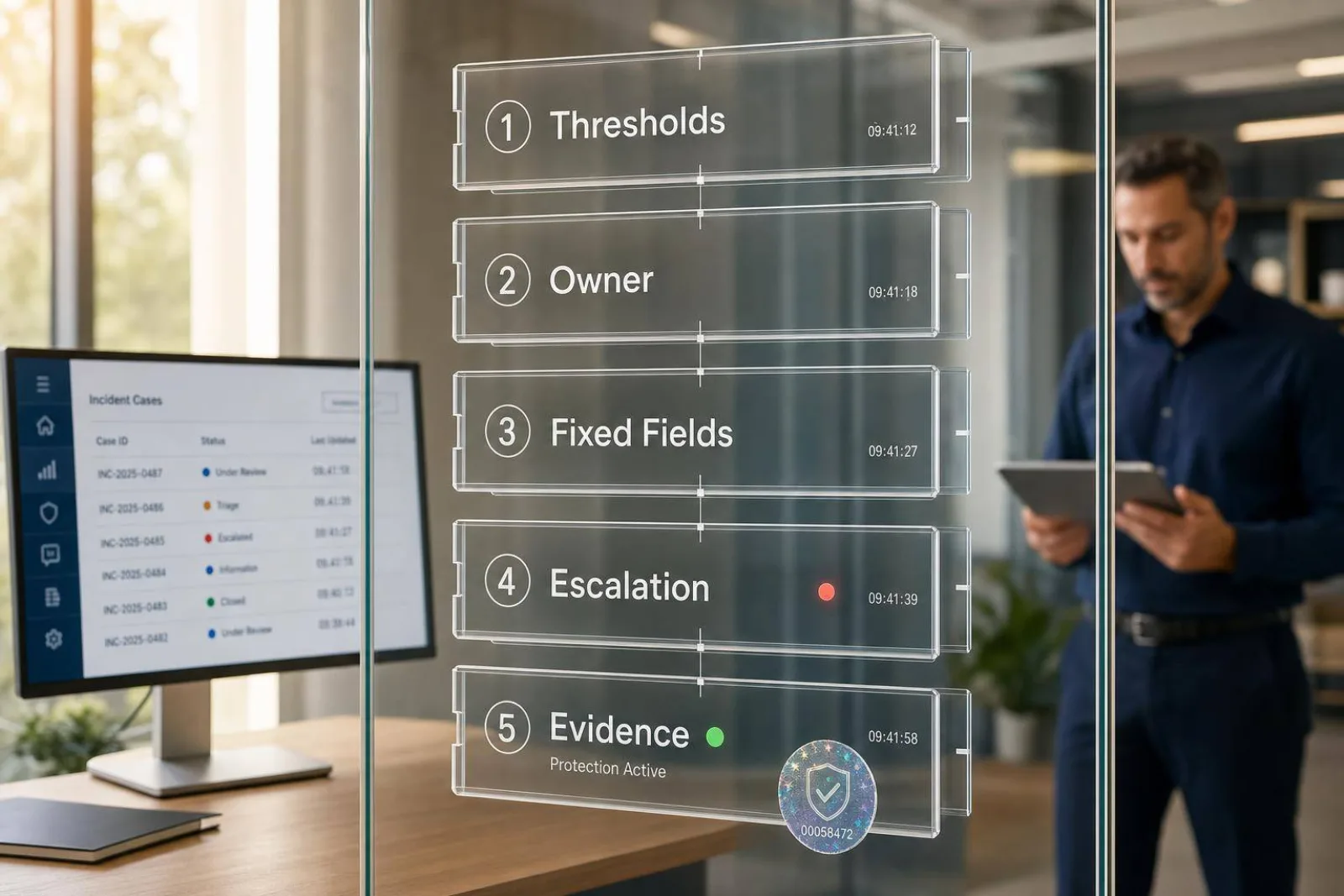
If an AI incident report can’t be reviewed later by someone who wasn’t there, it’s not good enough. I’d focus on six things from day one: clear incident thresholds, named owners, fixed report fields, a tight escalation path, role-based drills, and audit-ready records.
Here’s the short version:
- I define what counts as a reportable incident so teams don’t flood the queue with low-risk alerts.
- I assign who detects, documents, reviews, approves, and sends cases out when needed.
- I use one standard report format with required fields like timestamps, source links, risk level, actions taken, and evidence status.
- I separate facts, observations, and judgment calls so later reviewers can see what came from logs and what came from staff assessment.
- I move high-risk cases to human review fast, especially where there are patterns like secrecy requests, threats, platform migration, or sexual coercion.
- I train teams with timed practice cases and score report quality with simple KPIs.
In practice, that means I’m building a reporting system that can handle pressure in private messaging, club and league safety work, athlete and creator abuse cases, and sponsor-sensitive moderation moments without losing the evidence trail.
A few points matter most:
- Speed without guesswork: teams should know what to do in the first 15 minutes
- Evidence control: every file, quote, log, and account link needs a traceable record
- Repeatability: staff should document the same type of case the same way every time
- Audit trail: each change needs a timestamp, prior value, new value, and user action
- Quality checks: I’d track things like source citation rate, inconsistency flags, and pass rates in time-capped drills
This also connects to day-to-day trust and safety work around athlete and creator protection, such as:
- sexualized DM abuse and cyberflashing
- abusive comments on match day
- repeat offenders across many handles
- multilingual slang that drives false positives
- creator inbox safety without blocking brand deals
- legal handoff, retention, and record access rules
One useful benchmark: if staff can’t produce a clean evidence pack, explain the escalation path, and show chain-of-custody from detection to closure, the process still has gaps.
What follows is the core playbook I’d use to make incident reporting clear, consistent, and reviewable.
Building an AI Incident Response Team: Roles, Responsibilities, and Readiness
sbb-itb-47c24b3
Set reporting rules and standard report fields
Once roles are assigned, the next step is consistency. A standard form keeps reports aligned across cases. It also makes reviews easier, speeds up triage, and gives you a clean record for later audits.
Use required fields for every report
Every incident report should use a fixed set of fields that no one can skip. If those fields are missing, the case gets harder to triage, investigate, audit, or share with outside parties when needed.
| Field | Status | Purpose |
|---|---|---|
| Incident ID | Required | Unique case tracking |
| Timestamp (U.S. format) | Required | Date and time of detection in U.S. format |
| Reporter name / role | Required | Attribution and accountability |
| Channel or platform where detected | Required | Identifying the source or location of the incident |
| How detected | Required | Showing whether it came from logs, alerts, or human review |
| Observed behavior | Required | Objective description of the triggering behavior |
| Risk level | Required | Severity classification or risk score |
| Actions taken | Required | Immediate response steps documented at the time |
| Follow-up owner | Required | Named person or team responsible for next steps |
| Closure status | Required | Current status of the incident and whether it has been resolved |
| Evidence status | Required | What was captured, where stored, who accessed it, and chain of custody |
| Source reference | Required | Links to the underlying logs, files, or account identifiers |
| Change history | Required | Each edit, with old value, new value, action, and timestamp |
| Linked identifiers | Optional | Related account IDs, prior incident numbers, or platform references |
| Retention flag | Optional | Special handling instructions for sensitive child protection material |
Once the form is standardized, route reports through a multi-channel reporting and escalation guide.
Separate facts, observations, and professional judgment
Each entry should be labeled the same way every time. Tag it as EXTRACTED, INFERRED, or AMBIGUOUS so reviewers can tell the difference between direct evidence and analyst judgment.[1]
Here’s what that looks like in practice:
| Category | Definition | Example Wording |
|---|---|---|
| Fact | Verifiable data from logs or system records | System flagged account #4471 at 2:17 PM ET on Jul 16, 2026. |
| Observation | Direct description of behavior without assigning cause | The subject sent five messages within 90 seconds after the minor declined contact. |
| Professional judgment | Analyst's assessment of risk or pattern | [INFERRED] The message sequence is consistent with a high-risk escalation pattern. |
Use U.S. date and time format with AM/PM and the time zone. If a message matters to the case, quote it verbatim in the evidence field instead of paraphrasing it.
That kind of labeling makes the record easier to verify and easier to preserve.
Record evidence and preservation status correctly
An incident record is only as strong as its evidence. Each piece of evidence should show its status clearly: what it is, where it’s stored, who accessed it, and whether the chain of custody is still intact.
Standard evidence fields should cover message logs, screenshots, risk scores, account identifiers, and source system references. The record should also include a change history log for every modification.[2][3]
For material involving minors, apply the retention flag and follow your data handling policy.
With fields standardized, the next step is routing each report through a clear review and escalation workflow.
Build a step-by-step reporting and escalation workflow
AI Incident Reporting Workflow: From Detection to Closure
A standard form only helps if it moves through a clear workflow. If the process is fuzzy, reports sit in limbo, details slip through the cracks, and urgent cases take too long to reach the person who needs to act. Once your report fields are standardized, the workflow becomes the thing that sets the pace.
Route high-risk incidents to human review quickly
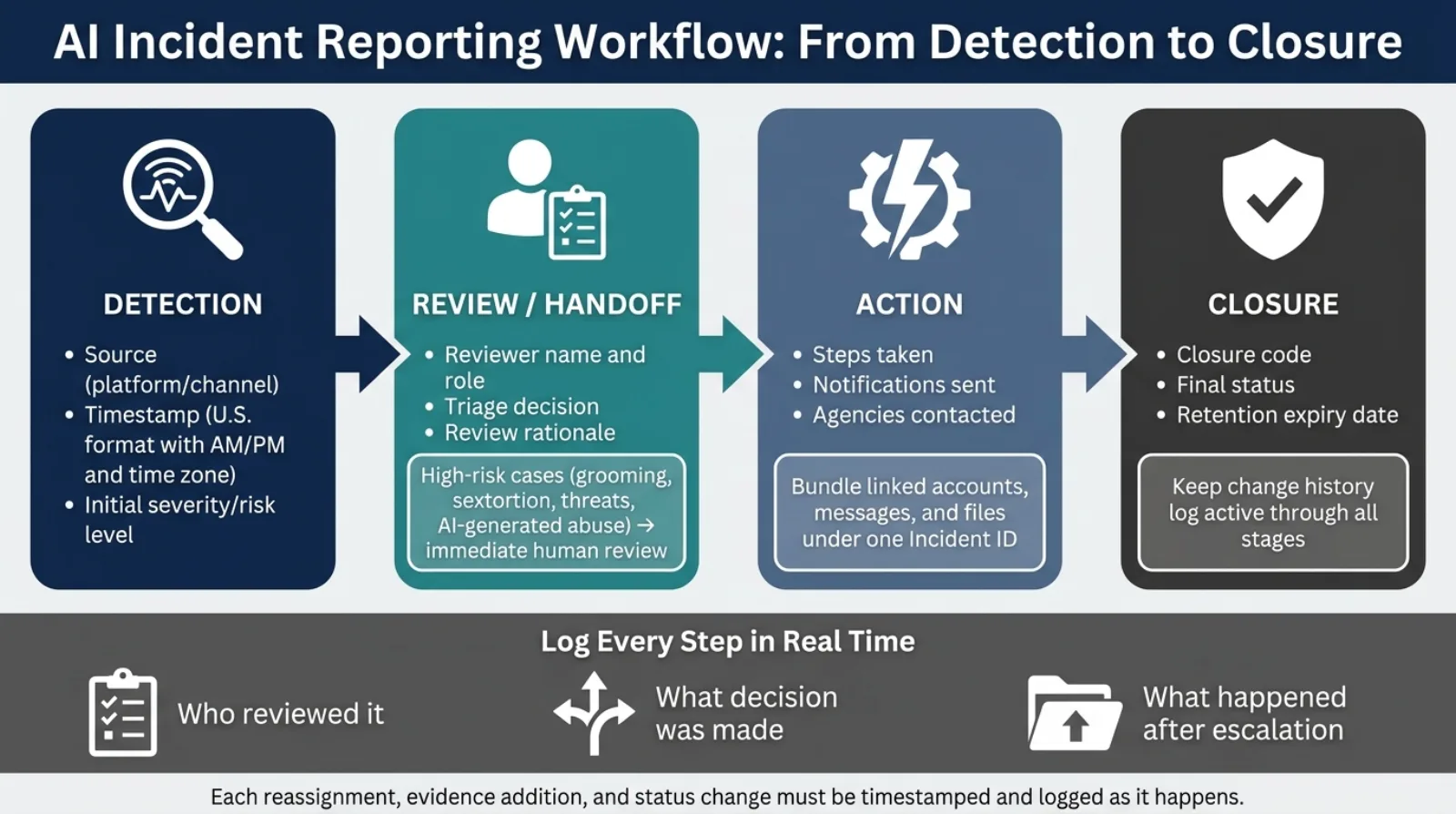
Not every alert needs the same turnaround time. High-risk cases should go straight to human review when the behavior points to grooming, sextortion, secrecy requests, platform migration, threats, or AI-generated abuse material. Those cases shouldn’t sit in a general queue. They need direct human review right away.
Group related evidence into one incident record
Broken-up reports slow everything down. If several reports point to the same incident - repeat contact from linked accounts, movement from comments to direct messages, or the same person using different handles - pull them into one incident record.
Bundle all linked messages, files, account IDs, and behavioral data signals under one incident ID. Use the existing evidence labels the same way each time. That step keeps one escalation from getting scattered across multiple records.
Document actions, escalation path, and closure status
Every step taken on a case should be logged in real time, not pieced together later. Record who reviewed the case, what decision they made, whether the case went outside the organization, and what happened after that.
Use closure codes to mark the final status in a clear way, and log the retention expiry date for closed cases. A full escalation path makes later review possible.
Track each case through the same stages every time:
| Stage | What to Document |
|---|---|
| Detection | Source, timestamp, initial severity |
| Review/Handoff | Reviewer name and role, triage decision, review rationale |
| Action | Steps taken, notifications sent, agencies contacted |
| Closure | Closure code, final status, retention expiry date |
Keep the change history log active from review through handoff and closure. Log each reassignment, evidence addition, and status change as it happens.
Train teams to report consistently under pressure
Once the workflow is set, the next step is practice. That matters because pressure changes behavior fast. Without repetition, reports come in half-finished, timestamps slip, and escalation calls start to vary from person to person.
Run role-based training for reporters, reviewers, and supervisors
Each role handles a different part of the reporting chain, so training should match the job.
Frontline reporters need to know what counts as a reportable incident and how to complete a report with care. Reviewers need to check report quality, apply escalation rules, and spot gaps before a case moves ahead. Supervisors need a clear grasp of escalation thresholds, access controls, and quality checks for high-risk cases.
Train staff to document incidents the same way every time, even when the case is high-risk. Generic training usually falls apart in tense moments. People need scenarios that match their role and setting, because that's where judgment calls happen. Use the same simulation exercises to test whether staff can move from detection to escalation without delay.
Use practice cases to improve writing and triage quality
Have staff write reports based on simulated incidents, then review those reports as a group. Pick practice cases that look like the incidents your team is most likely to face. That makes the exercise more than a box-checking task.
This review cycle can sharpen templates, thresholds, and escalation rules. It also gives you a direct way to see whether the workflow works in real time or starts to crack when the clock is ticking.
Add onboarding, refreshers, and quality review
New hires need structured onboarding before they touch a live case. That should cover report fields, escalation thresholds, and evidence labeling. Existing staff need refreshers on a regular basis, especially when templates shift or new behavior patterns show up.
Track quality with a small set of measures:
| KPI | What It Measures |
|---|---|
| Percent of reports with source citations | Whether reports can be traced back to source material |
| Percent of reports flagged for inconsistency | Whether documentation contains gaps or contradictions |
| Pass rate under time-capped scenarios | How well staff report under pressure |
Score reports for completeness, objectivity, timeliness, and escalation accuracy. Then use those scores for targeted retraining. This makes weak points in the reporting chain much easier to spot.
Maintain records, audit performance, and improve the process
Good reporting doesn't stop when a case closes. What happens to the record after that matters just as much. How you store it, who can view it, and how long you keep it all shape whether your program can stand up to review.
Apply retention, access control, and audit logs
Set a clear retention period for every record and use role-based access controls to limit who can see what. The most sensitive records should be limited to a small, authorized group.
Keep the existing change log with the closed record. It should show:
- the action taken
- the data field affected
- the previous value
- the new value
- the exact timestamp
For highly sensitive data, process it in memory and avoid storing interim copies. At the same time, keep the audit trail intact. If primary data is deleted, keep safety and debugging logs for a short, policy-defined period so teams can still review what happened later.
Review trends and update templates regularly
Use audit findings to fix repeat gaps in the form and workflow. Review aggregate incident data every month or quarter. Watch for patterns like documentation gaps, false escalations, missing evidence fields, and shifts in abuse tactics such as deepfakes or AI-generated material.
Then use what you find to update templates and escalation thresholds. That way, each new case gets a better process than the one before it.
Conclusion: The core components of reporting capacity
After records are closed, use the audit trail to make the next case easier to handle. Audit results should shape template and workflow updates. Retention, access controls, and regular review are what keep the reporting system usable and defensible over time.
FAQs
What makes an AI incident report audit-ready?
An AI incident report becomes audit-ready when it goes beyond raw data and turns into a structured, tamper-evident record with a chain of custody you can verify.
That means the report should do more than list what happened. It should pull evidence together automatically, store message threads with secure timestamps so the full context is preserved, sort events into clear tiers based on severity and evidentiary weight, and keep a complete audit log.
For legal defensibility, flags also need to come with clear scoring and alignment with the right jurisdiction. Without that, a report may show activity, but it won’t do much to support review, challenge, or enforcement.
When should a case be escalated to human review?
A case should be escalated when human judgment is needed to decide how to respond to a detected risk.
AI can take in data, spot patterns, and organize the evidence. But people need to step in for urgent threats or any case that calls for an authoritative decision. That keeps human involvement focused on the moments where it matters most.
How do teams keep evidence and chain of custody intact?
Teams can keep evidence and protect the chain of custody with automated systems that record interactions as they happen, instead of depending on manual reports.
Platforms like Guardii can securely store message content, keep threads intact, and automatically generate tamper-evident files with a complete audit trail for review by authorities or legal teams.